DROM Connector
1. Check that all Connector status items are green.
In case there is a failed check of a brand and country connectivity that you are testing, this might be ok. It is ok if you have not performed advertising in over a month, or if you have just made a test and deleted your test lead or if you have deleted all of the leads in Meta Leads Center. When viewing log, make sure that new tests have status SUCCESS, which means that Vega has accepted the lead correctly.
2. Open LeadAds Form testing
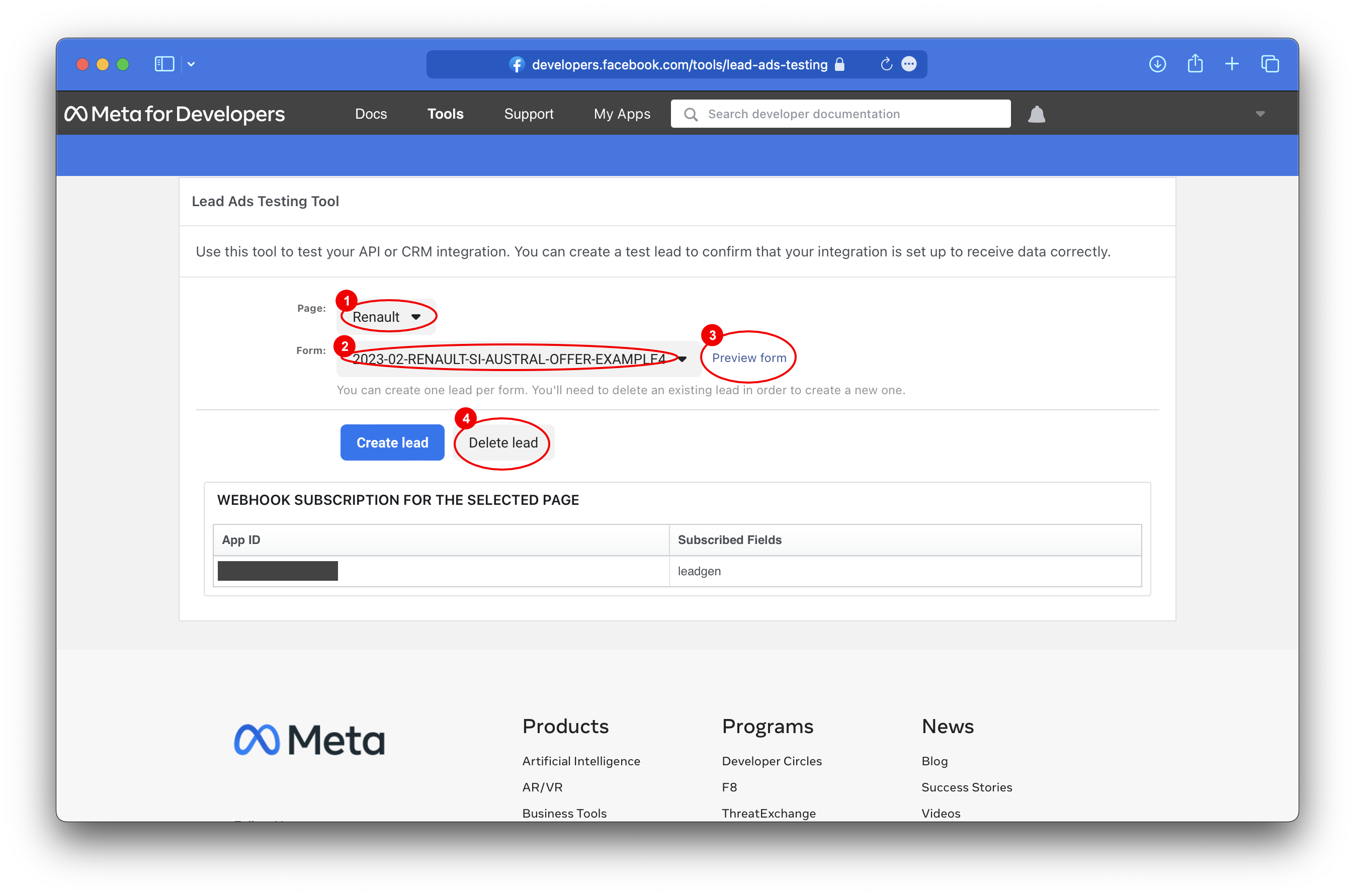
2.1.
Select Page 1 and Select your Form 2. If you are not sure which Brand Page is correct, check first Facebook Page ID listen under Facebook page -> About.
2.2.
Preview form 3 and submit test Data.
2.3.
Repeat test for every dealer. Before repeating a Test, wait at least 5 seconds to delete your Lead 4.